A good build a family tree page should solve a real research problem instead of sending visitors through a long list of databases. This guide focuses on teaching the data model and research habits behind a useful tree, not merely how to draw boxes and lines. The objective is to help you move from a clue to a defensible conclusion while keeping your research organized, transparent, and respectful of privacy.
To build a family tree is to organize people, relationships, life events, sources, notes, and media into a structure that can be reviewed and improved over time. A strong tree makes it clear which facts are documented, which are estimates, and which questions still need research.
The most important habit is simple: treat every search result as a clue until you have compared it with the rest of the person’s life. Names repeat. Dates shift. Places are recorded at different levels of detail. Family stories can be partly right and partly wrong. A careful build a family tree workflow makes room for uncertainty and records why a relationship was accepted rather than merely copying it from somewhere else.
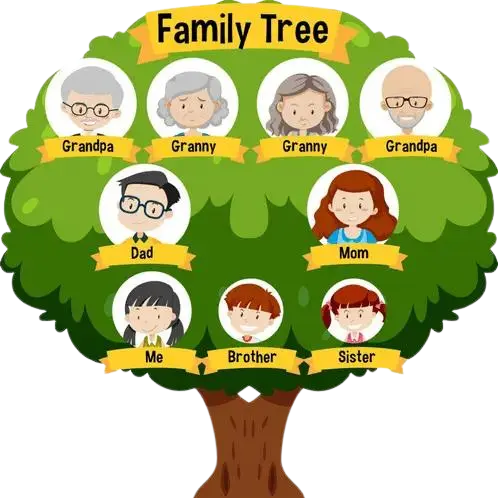
A useful build a family tree experience should make family relationships understandable without hiding the research behind them. The visual tree is only one layer. Under each person should be structured facts, relationship types, notes, sources, and privacy controls. That separation matters because a beautiful chart can still contain an incorrect parent, duplicate spouse, or guessed date.
Before choosing or using a tool, decide whether you are primarily researching, presenting, collaborating, or printing. Research requires source citations and flexible editing. Presentation requires readable layouts. Collaboration requires permissions and change awareness. Printing requires export quality. A strong build a family tree workflow may use the same underlying data for several different outputs instead of rebuilding the family from scratch each time.
Portability also matters. Keep a backup outside the working platform when possible. GEDCOM remains a widely used exchange format for core genealogical data, although applications can differ in how they handle media, notes, extensions, and platform-specific features. The FamilySearch GEDCOM 7 specification is a useful technical reference for developers and advanced users.

Begin with information you can explain and, when possible, document. A known relative, known place, or known file gives you an anchor. Avoid building the next step on a guess because every later conclusion will inherit that uncertainty.
Treat this as a deliberate research action rather than a box to check. Write down what you learned, what remains uncertain, and what the next record or tool should help you answer.
Treat this as a deliberate research action rather than a box to check. Write down what you learned, what remains uncertain, and what the next record or tool should help you answer.
Treat this as a deliberate research action rather than a box to check. Write down what you learned, what remains uncertain, and what the next record or tool should help you answer.
Capture the source while you are looking at it. Record enough information to find it again and note what the source actually says. Separating transcription from interpretation helps prevent later confusion.
Privacy is part of responsible family history. Keep sensitive details about living people out of public charts and profiles unless you have permission and a clear reason to share them.
Comparison is where a plausible match becomes useful evidence. Look across several facts at once and ask whether the entire timeline makes sense. One matching date should not outweigh a conflicting spouse, residence, or parent.
Treat this as a deliberate research action rather than a box to check. Write down what you learned, what remains uncertain, and what the next record or tool should help you answer.
Source or input | What it can help with | What to check |
Family Documents | Identity, relationship, residence, timeline, or contextual evidence | Evaluate who created the source, when, and whether the information is firsthand |
Vital Records | Identity, relationship, residence, timeline, or contextual evidence | Evaluate who created the source, when, and whether the information is firsthand |
Census Records | Household structure, age, birthplace, residence, occupation, migration clues | Ages and birthplaces can vary; early schedules may provide limited household detail |
Church Registers | Identity, relationship, residence, timeline, or contextual evidence | Evaluate who created the source, when, and whether the information is firsthand |
Obituaries | Death, burial, relatives, spouse, parents, residence, biography clues | Parent or birth details may be secondhand; memorials can contain user-submitted data |
Military And Immigration Records | Service, unit, residence, age, spouse, dependents, affidavits, benefits | Holdings depend on conflict, branch, service type, date, and repository |
Mistake 1: Building too far backward without sources. The fix is to slow down and test the assumption against the person’s whole identity. Add or remove search filters, compare independent records, and keep a note explaining why the revised conclusion is stronger. A good build a family tree process makes uncertainty visible instead of hiding it.
Mistake 2: Combining two different people. The fix is to slow down and test the assumption against the person’s whole identity. Add or remove search filters, compare independent records, and keep a note explaining why the revised conclusion is stronger. A good build a family tree process makes uncertainty visible instead of hiding it.
Mistake 3: Entering married names as maiden names. The fix is to slow down and test the assumption against the person’s whole identity. Add or remove search filters, compare independent records, and keep a note explaining why the revised conclusion is stronger. A good build a family tree process makes uncertainty visible instead of hiding it.
Mistake 4: Treating estimated dates as exact. The fix is to slow down and test the assumption against the person’s whole identity. Add or remove search filters, compare independent records, and keep a note explaining why the revised conclusion is stronger. A good build a family tree process makes uncertainty visible instead of hiding it.
Mistake 5: Uploading private information about living relatives. The fix is to slow down and test the assumption against the person’s whole identity. Add or remove search filters, compare independent records, and keep a note explaining why the revised conclusion is stronger. A good build a family tree process makes uncertainty visible instead of hiding it.
Mistake 6: Keeping the only copy of a tree on one website. The fix is to slow down and test the assumption against the person’s whole identity. Add or remove search filters, compare independent records, and keep a note explaining why the revised conclusion is stronger. A good build a family tree process makes uncertainty visible instead of hiding it.
Start with a simple four-generation tree: you, your parents, grandparents, and great-grandparents. If a grandmother’s birth year is uncertain, enter it as approximate and add a note. Attach the marriage certificate that confirms her maiden name. If a census suggests different parents than a public tree, flag the conflict rather than choosing the easier answer.
The lesson is not that one particular record type is always best. It is that a strong build a family tree result is built from a chain of consistent evidence. If one source contradicts the others, keep the conflict in your notes and search for a record created closer to the event or by a better-informed person. Genealogy becomes more reliable when you can explain why one interpretation fits the evidence better than another.
A build a family tree should support revision. Genealogy data changes as new evidence appears, so avoid workflows that turn a chart into an uneditable picture too early. Maintain a research version with full names, sources, notes, relationship types, and uncertainty. Create simplified printable or shareable versions from that research tree.
Use consistent data entry. Put surnames in the same format, preserve maiden names, standardize place names without erasing the historical place, and distinguish exact dates from estimates. If the software supports source citations, attach them to the facts they support instead of dropping a long source list into a general notes field.
Plan for complex families. Multiple marriages, adoption, step relationships, guardianship, unknown parents, and nontraditional family structures require flexible relationship modeling. Do not force the family into a template that changes the facts simply to keep the chart symmetrical.
Keep a backup strategy. Export periodically, preserve media originals separately, and document which software created the file. A build a family tree is more valuable when your family can still open, understand, and migrate the data years later.
This page should make it clear that build a family tree results are research leads unless they are supported by evidence. Do not claim access to record collections that the site does not actually license or index. When a user is directed to another archive or database, label the destination clearly.
For U.S. research, the National Archives is an authoritative starting point for federal genealogy records and explains that census, military, immigration, naturalization, and land records are among its most commonly used genealogy holdings. It also explains that ordinary birth, death, marriage, and divorce records are generally state or local records rather than federal holdings. FamilySearch provides useful guidance on searching historical records with names, dates, places, and relationships. For GEDCOM-related pages, the FamilySearch GEDCOM 7 specification should be treated as a technical reference.
Recommended editorial practice: add a visible “Last reviewed” date, identify the author or reviewer, cite official repositories for factual claims, and maintain a correction policy. If a page discusses living people, include a privacy reminder and avoid exposing addresses, full birth dates, phone numbers, or other unnecessary personal information.
Names and relationships are enough to begin. Dates, places, sources, photographs, occupations, and notes can be added gradually.
You can include them in a private tree, but protect personal information and follow the privacy settings of the platform you use.
Add only as many as you can manage accurately. Four generations is a practical starting project because it encourages careful verification.
A source identifies where a fact came from, such as a certificate, census page, church register, obituary, archive file, interview, or book.
No. Paper works for a small tree, but software or an online tree becomes useful as relationships, sources, media, and duplicates grow.
Use the platform’s export or backup feature. GEDCOM is widely used for transferring core genealogy data between compatible programs, although not every media file or platform-specific feature transfers perfectly.